
Will AI Replace Web Developers?
Introduction
You've seen the headlines. "AI builds a website in 60 seconds." "No-code tools make developers obsolete." Maybe you've tried describing your business to ChatGPT and had it generate a website for you - and the result looked pretty decent.
So the question makes sense: is it still worth paying a developer when AI can do it for free?
I build websites professionally and use AI tools every day. So I have a pretty clear picture of where AI helps and where it gets you into trouble.
What AI Can Actually Do Today
No point pretending otherwise - AI has come a long way in some areas.
🖥️ Simple Landing Page
Describe your business to ChatGPT or Claude and within minutes you'll have a working HTML page with styles. For a personal project, quick prototype or hackathon - genuinely useful.
✏️ Text Content
AI can draft your "About us" page, product descriptions or blog posts. It's not perfect, but as a starting point it saves a lot of time.
🎨 Basic Designs
Midjourney, DALL-E, v0 by Vercel - these tools can generate images and UI components from a description. For a first draft, the results often look surprisingly good.
⚙️ Simple Applications
Contact form, basic CRUD app, simple e-commerce prototype. If your needs are standard, AI can get you to 80% of the goal.
⚠️ The 80% Trap
AI gets you to 80% fast. But the remaining 20% - the part that actually adapts your site to your business - is where things get complicated. And that's exactly where most AI-generated projects stall.
Where AI Falls Short
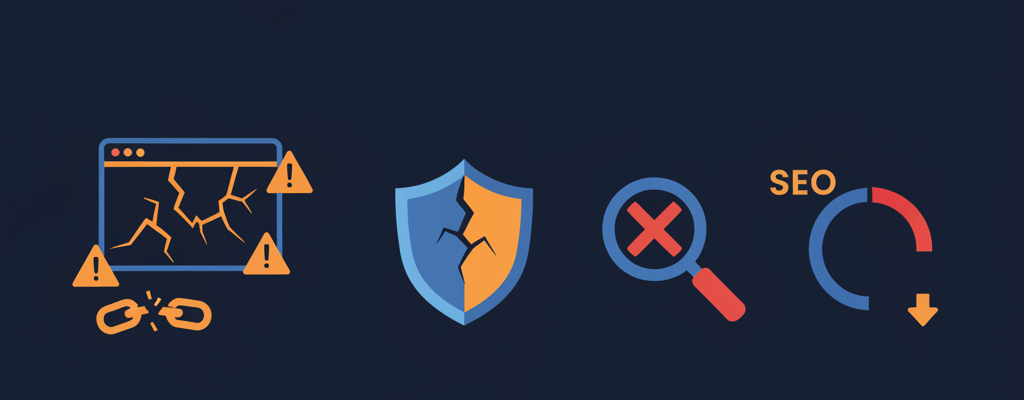
This is what those "AI builds a website in 60 seconds" videos don't show you.
🔍 SEO That Actually Ranks
AI can generate meta tags and write content. But SEO is not just keywords. It's site architecture, internal linking strategy, Core Web Vitals, structured data, crawlability and dozens of technical details that compound over time.
An AI-generated site might look great but tank in Google because:
- The HTML structure is semantically wrong
- Images aren't optimized (wrong formats, no lazy loading, missing alt texts)
- There's no sitemap, no proper canonical URLs, no redirect strategy
- The page takes 5+ seconds to load because nobody optimized the bundle
Real impact: You save on development and then spend 10x more on ads because organic traffic never comes.
🚀 Performance and Speed
AI generates code that works. It rarely generates code that's fast. In a real project, performance depends on:
- Choosing the right rendering strategy (SSR, SSG, ISR)
- Optimizing images, fonts and third-party scripts
- Code splitting, tree shaking, lazy loading
- Caching strategies, CDN configuration
- Database query optimization
A better prompt won't fix this. It requires understanding how browsers, servers and networks actually work.
🔒 Security
This is where it gets ugly. AI-generated code often contains security holes that look perfectly innocent:
- SQL injection in database queries
- Cross-site scripting (XSS) in input fields
- Exposed API keys and credentials
- Missing authentication on API endpoints
- Insecure cookie handling
Until someone exploits them, you don't even know the holes are there. And if customer data or payments flow through your site, that can become a very expensive problem.
⚠️ Real Example
I've reviewed a few websites that clients had "built by AI". One had the database password hardcoded in client-side JavaScript. Another had no CSRF protection on its payment form. The owners had no idea because the sites looked and worked fine.
📱 Responsive Design That Actually Works
AI can make a site look responsive in a demo. But real responsive design means:
- Testing across dozens of real devices and browsers
- Handling edge cases (long text, missing images, slow connections)
- Touch interactions, accessibility, keyboard navigation
- Print stylesheets, dark mode, reduced motion preferences
"It looks good on my phone" is not the same as "it works for all users."
🔧 Maintenance and Updates
A website is not a one-time project. It needs:
- Security updates for dependencies
- Bug fixes when browsers update
- Content updates that don't break the layout
- New features as your business grows
- Monitoring and error tracking
AI will build you a site, but who maintains it six months later? AI-generated code tends to be hard to maintain - it lacks consistent architecture, sensible error handling and documentation.
🔗 Integration with Real Systems
Your business probably needs the website to connect with:
- Payment gateways (Stripe, PayPal, local providers)
- CRM systems
- Email marketing tools
- Analytics and tracking (properly, with GDPR compliance)
- Inventory management, booking systems, APIs
Each integration has tons of edge cases, webhooks and security requirements. AI either skips them or solves them naively.
Decision Checklist
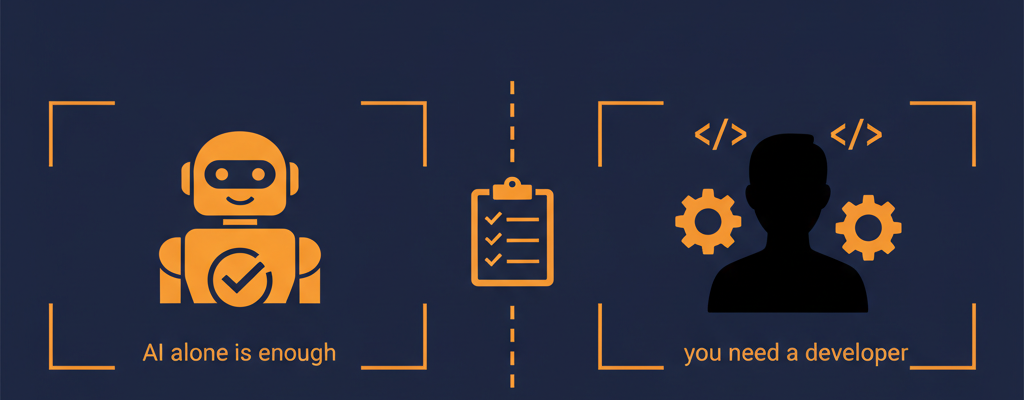
To help you decide, I've put together a simple overview.
✅ AI Alone Might Be Enough If:
- You need a simple personal page or portfolio
- It's a prototype or proof of concept
- You're technical enough to review and fix the code
- You don't depend on organic traffic
- You don't handle sensitive user data
- "Good enough" is good enough for you
👨💻 You Need a Developer When:
- Your website should generate revenue
- You need to rank in Google for competitive keywords
- You handle customer data or payments
- You need custom functionality or integrations
- Your brand and reputation depend on the site quality
- You need long-term maintenance and evolution
- You need guaranteed uptime and performance
The Real Answer: Developer + AI
Most people ask this question wrong. It's not "AI or developer?" but "developer without AI or developer with AI?"
A developer who uses AI effectively delivers:
🏎️ Faster
AI handles boilerplate, the developer focuses on what matters.
💰 Cheaper
Less time on repetitive tasks means lower cost for you.
🎯 Better Quality
AI catches bugs, suggests improvements, writes tests.
When you hire a developer who knows how to use AI, you're not paying for typing code. You're paying for someone who knows what to build and why - and uses everything at their disposal to get it done.
🏠 Building Analogy
You don't buy a drill and build a house. But a carpenter with a drill is faster than one without. Same goes for AI.
What to Look For in a Developer in 2026
If you're looking for a developer for a serious project, here's what matters today:
Uses AI tools
If a developer doesn't use AI in 2026, they'll likely be slower and more expensive than one who does.
Asks about your business
Before they start coding, they want to know what problem you're solving, who your customers are and what you measure.
Thinks ahead
Not just whether it works now, but whether it can be maintained and extended.
Communicates clearly
You should understand what's being built and why, even if you don't understand the code.
Shows results
Site speed, Google rankings, conversions. That's how their work should be measured.
Conclusion
AI has changed how websites are built. That's a fact.
For a prototype or personal page, AI might be enough on its own. But if your website is supposed to make money and represent your company, you need someone who knows what they're doing - with AI helping them along the way.
Look for developers who use AI as a tool, not as a replacement for experience.
Get in touch - the first consultation is completely free.
Newsletter
Stay in the loop
Get notified about new articles and tips. No spam.
You might also like
Sharing knowledge is a loving expression of care for the community. Let's learn something new together.
AI-Assisted Web Application Development
How to use AI tools in web development? Practical tips, real workflows, and personal experience with AI assistants in everyday coding.
Read more
What are SPA, SSR, PWA and what are the advantages or disadvantages?
A little bit of historical development of websites to today. Explanation of the terms Single Page Application, Server Side Rendering, Progressive web appgres, differences between them and advantages/disadvantages.
Read more
7 most common web developer mistakes, don't you make them too?
Let's take a look at what beginners struggle with most often and what could help them move forward. I've focused on 7 issues that I see as essential in my practice.
Read more